Christmas Cards for Clients: One Personal Card per Name, Made in One Batch
Make Christmas cards for clients with every name and message printed on the card. Tested on 20 cards: prompt, model, print size, and how to check names.
On this page
- The short answer
- What we tested
- Step 1: Write down what goes on each card
- Step 2: Write the card once, then one line per client
- Step 3: Pick the model
- Step 4: Email cards or printed cards
- Step 5: Check every name before anything goes out
- What it costs
- Checklist
- FAQ
- Can AI spell client names correctly on a card?
- Which model is best for personalized Christmas cards?
- Can I add our logo to the cards?
- Should the card mention Christmas, or is "holiday" safer?
- How many clients can I do in one batch?
Christmas cards for clients are easy to buy and hard to make personal. A box of identical printed cards with a signature at the bottom says "we had a list". A card that opens with the client's own name and a line about the year you had together says "we thought about you" — but writing and designing forty of those by hand takes an afternoon most small businesses don't have in December.
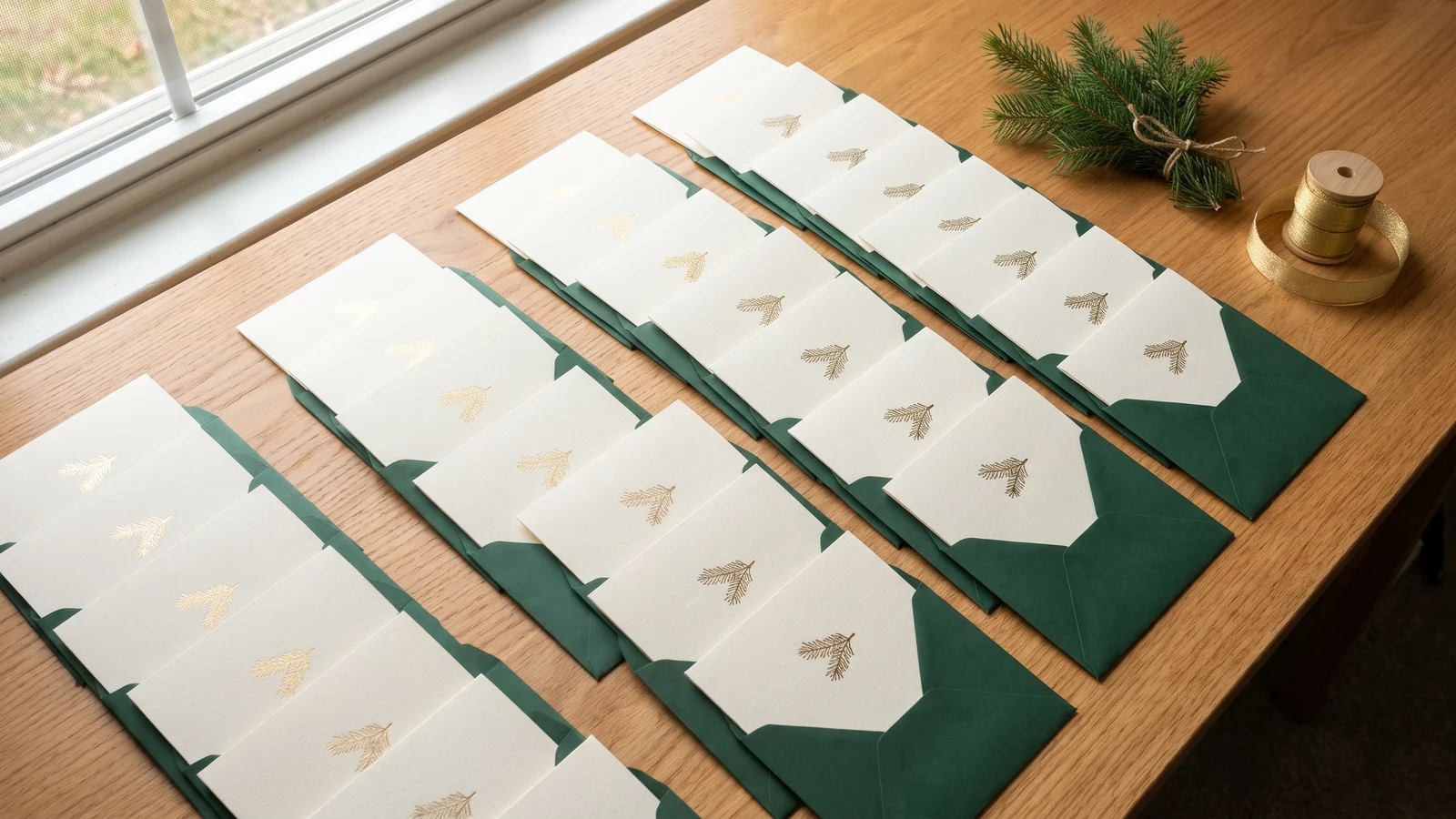
This guide shows a faster middle path: one card design, one line per client, and an AI image model that prints each client's name and message on their card. You run the whole list as one batch and get back one finished card per client. We tested it on 20 cards across two models before writing this, and every card in this post comes from those runs. The names are made up, and so is the studio that signs them.
Generate in bulk
One prompt per line, hundreds of images, one ZIP to download.
The short answer#
- Write one prompt line per client. Every line describes the same card, then gives that client's name and one sentence for them.
- Use Nano Banana Pro. In our test it printed every name correctly and kept every card portrait. GPT Image 2.6 also spelled every name right, but two of its eight cards came back landscape.
- Decide email or print before you generate. A photo of a card on a desk is good for email. For printing you need a flat design that fills the frame.
- Check every name before you send. Our test had no spelling mistakes, but 20 cards is a small sample and a misspelled client name is the one error that undoes the gesture.
What we tested#
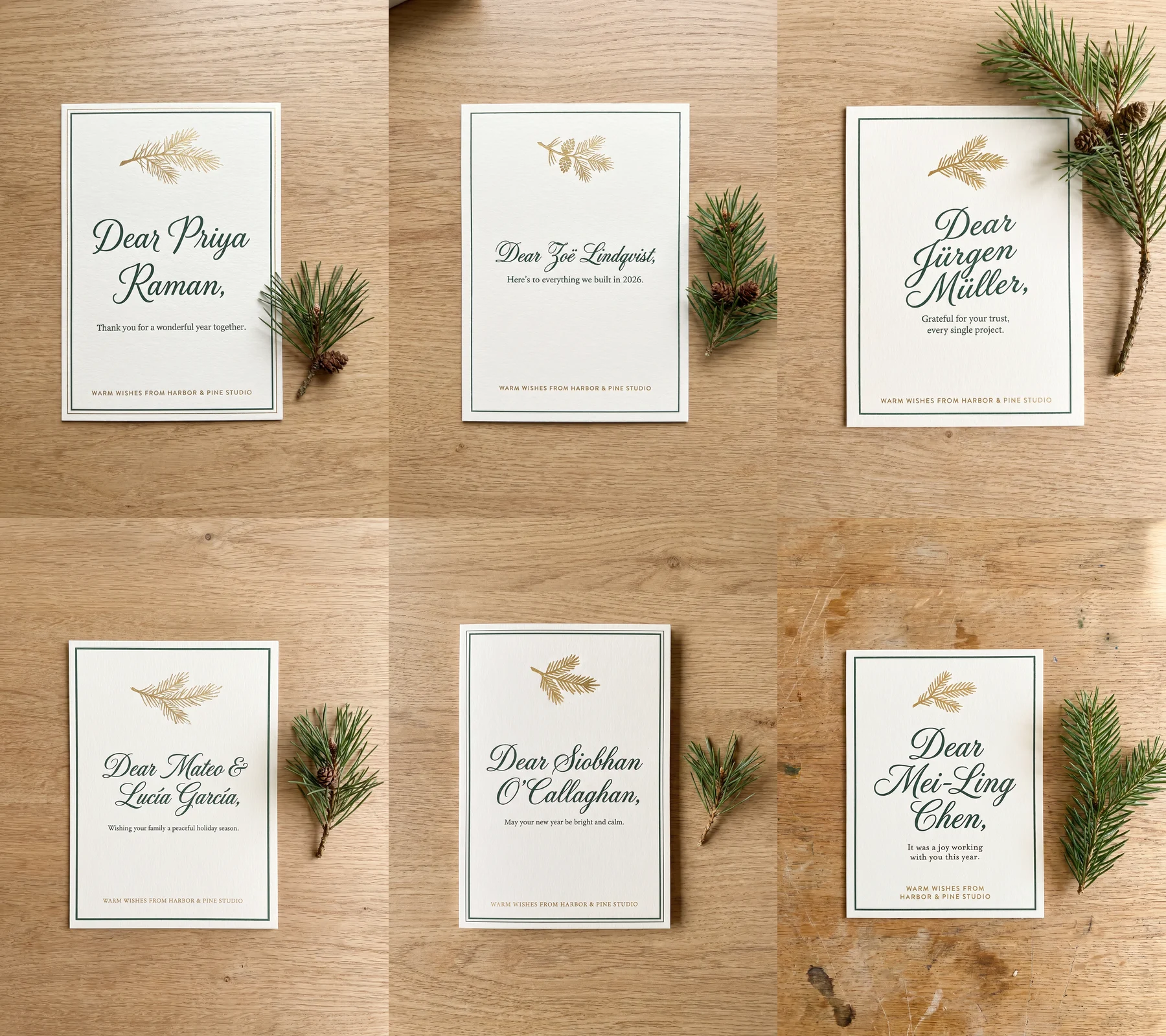
We wrote one card design — cream card stock, a thin deep-green border, a small gold pine branch, and a gold sign-off from a made-up studio — and eight clients whose names are hard to typeset:
- accents and umlauts: Zoë Lindqvist, Jürgen Müller, Mateo & Lucía García
- an apostrophe: Siobhan O'Callaghan
- a hyphen: Mei-Ling Chen
- a long name with a title: Dr. Oluwaseun Adeyemi
- a company instead of a person: the team at Northfield Dental
- a plain control: Priya Raman
Each client got a different one-line message. We ran the same eight lines once on GPT Image 2.6 and once on Nano Banana Pro, at 2K and 3:4, and kept every result. Then we ran four flat print versions on Nano Banana Pro at 2:3.
Result: 20 of 20 cards spelled every name, message and sign-off correctly, including the umlauts, the accented í, the apostrophe and the hyphen. We zoomed into every card to check, letter by letter.
Step 1: Write down what goes on each card#
Before you write a prompt, write the list. For each client you need two things:
- The greeting, exactly as printed. "Dear Priya Raman," or "Dear Priya," — decide how formal you are with each client. Use the spelling from their email signature, not from your memory.
- One sentence for them. It doesn't need to be clever. "Thank you for six years of partnership" means more to a client than a generic "Season's greetings", because it could only be for them.
Keep the sentences short. In our test, the long greetings were the ones that wrapped onto two or three lines, and a sentence of more than about eight words starts to fight the name for space on the card.
Tip
For a company, write the greeting the way you would say it: "To the team at Northfield Dental," reads naturally. "Dear the team at…" does not — we made that mistake in our first run and the model printed it faithfully.
Step 2: Write the card once, then one line per client#
Every line in the batch describes the same card. Only the name and the sentence change. This is the line for one client; copy it once per client and change the two parts in quotes:
A single Christmas card for a client, photographed flat from directly above on a light oak desk next to a small pine sprig. Portrait card on textured cream card stock with a thin deep-green border and a small hand-painted gold pine-branch illustration at the top. All lettering printed exactly as written below, spelled exactly, no other words anywhere on the card. Line 1, large elegant dark-green script: "Dear [Client name],". Line 2, small serif below it: "[One sentence for this client]". Bottom of the card, small gold capitals: "WARM WISHES FROM [YOUR COMPANY NAME]".Three phrases in that line do most of the work:
- "printed exactly as written below, spelled exactly" tells the model the words are fixed text, not a suggestion.
- "no other words anywhere on the card" stops it adding "Merry Christmas" or "Happy Holidays" on its own.
- Quotes around each line of text mark where each piece of text starts and ends, so the name doesn't run into the sentence.
Here are three finished lines. Paste them into the prompt box as they are and you get three cards — one image per line:
A single Christmas card for a client, photographed flat from directly above on a light oak desk next to a small pine sprig. Portrait card on textured cream card stock with a thin deep-green border and a small hand-painted gold pine-branch illustration at the top. All lettering printed exactly as written below, spelled exactly, no other words anywhere on the card. Line 1, large elegant dark-green script: "Dear Zoë Lindqvist,". Line 2, small serif below it: "Here's to everything we built in 2026.". Bottom of the card, small gold capitals: "WARM WISHES FROM HARBOR & PINE STUDIO".
A single Christmas card for a client, photographed flat from directly above on a light oak desk next to a small pine sprig. Portrait card on textured cream card stock with a thin deep-green border and a small hand-painted gold pine-branch illustration at the top. All lettering printed exactly as written below, spelled exactly, no other words anywhere on the card. Line 1, large elegant dark-green script: "Dear Jürgen Müller,". Line 2, small serif below it: "Grateful for your trust, every single project.". Bottom of the card, small gold capitals: "WARM WISHES FROM HARBOR & PINE STUDIO".
A single Christmas card for a client, photographed flat from directly above on a light oak desk next to a small pine sprig. Portrait card on textured cream card stock with a thin deep-green border and a small hand-painted gold pine-branch illustration at the top. All lettering printed exactly as written below, spelled exactly, no other words anywhere on the card. Line 1, large elegant dark-green script: "Dear Siobhan O'Callaghan,". Line 2, small serif below it: "May your new year be bright and calm.". Bottom of the card, small gold capitals: "WARM WISHES FROM HARBOR & PINE STUDIO".
For a long client list, keep the lines in a plain text file and paste them all in at once, or drop the file in as a CSV with one prompt per row. Our guide to generating images from a list of prompts covers both. Set the image count to 1 — each line is already one card.
Note
Put only what is printed on the card into the prompt. Addresses, emails and notes about the client stay in your own records and your mailing tool.
Step 3: Pick the model#
Both models we tried got the text right. The difference was the card itself.
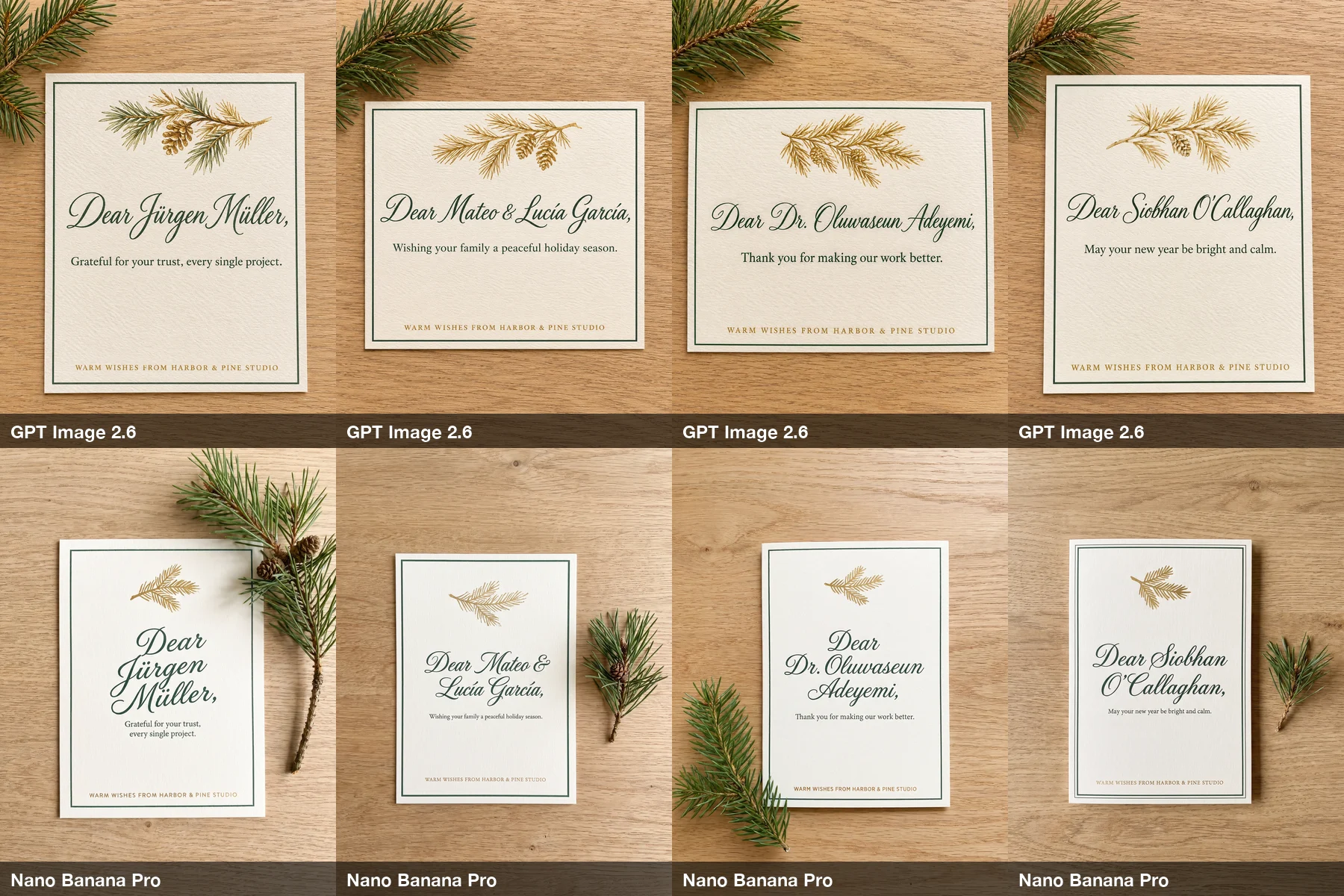
| GPT Image 2.6 | Nano Banana Pro | |
|---|---|---|
| Names, messages, sign-off spelled right | 8 of 8 | 8 of 8 (12 of 12 with the print run) |
| Card came back portrait, as asked | 6 of 8 (the other 2 landscape) | 8 of 8 |
| Long names | kept on one line; Dr. Oluwaseun Adeyemi's comma nearly touches the border | wrapped onto two or three lines, centred |
| What varied between cards | card shape, from tall to nearly square to landscape | where the pine sprig lies, the wood grain, one sign-off wrapped onto two lines |
| Credits per card at 2K | 10 | 6 |
GPT Image 2.6 seems to size the card around the text: the two landscape cards were two of the three longest greetings, Mateo & Lucía García and Dr. Oluwaseun Adeyemi. The longest, the Northfield Dental card, stayed portrait but went onto two lines. That is fine for one card and a problem for a set, because a client who sees a colleague's card will notice that theirs is a different shape. Nano Banana Pro kept the design and wrapped the text instead, which is what a typesetter would do — and it costs less. Prices are on the models page and change from time to time, so check there before a large run.
Step 4: Email cards or printed cards#
The cards above are photos of a card on a desk. That is the right format for email, LinkedIn messages or a client portal: it looks like a real card that someone took the time to photograph.
For printing, you don't want a desk in the picture. Change the start of the line so the design fills the whole image:
Flat, print-ready front design of a Christmas card, viewed straight on: the artwork fills the entire image edge to edge, no table, no hands, no shadow, no photo of a card. Textured cream background, a thin deep-green border inset from the edges, a small hand-painted gold pine-branch illustration near the top. All lettering kept well inside the border, printed exactly as written below, spelled exactly, no other words anywhere.Then add the same "Line 1 / Line 2 / sign-off" part as before. Generate at 2:3, the shape of a 4 × 6 in print.
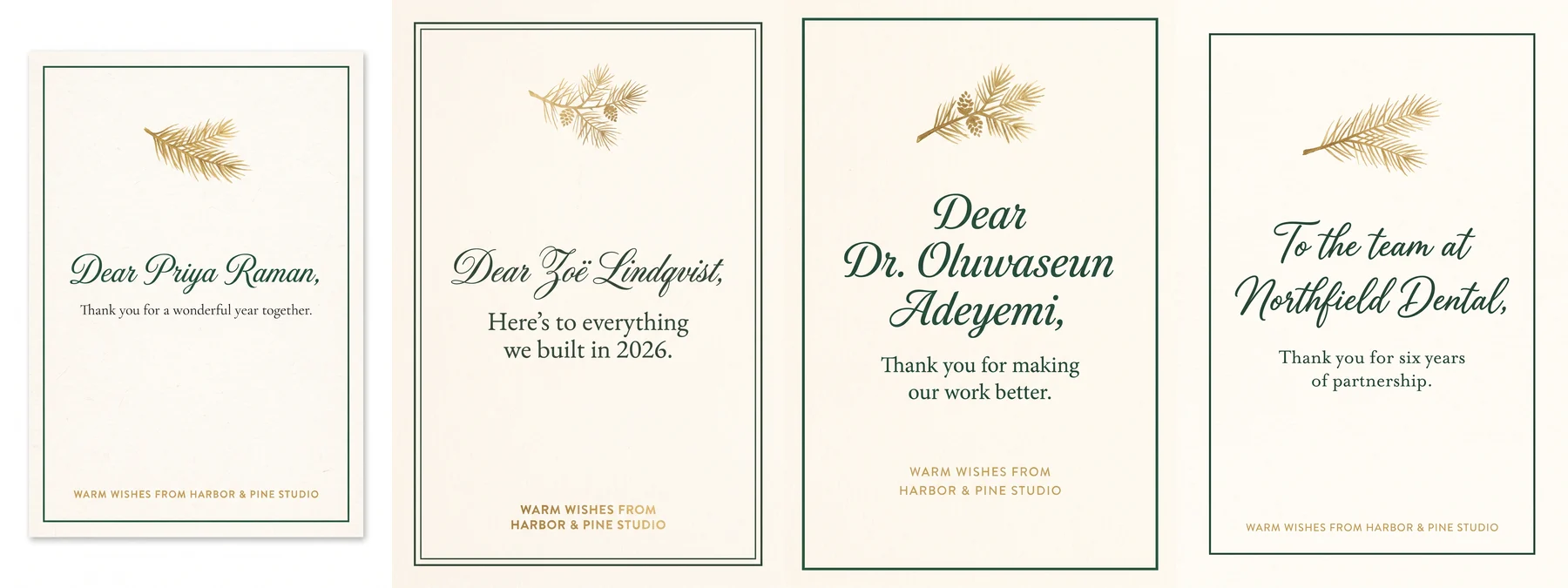
Three of the four came back flat and ready to print. The first one did not: it drew a card sitting on a white background with a drop shadow, despite "no shadow, no photo of a card". The text on it is still correct, but a printer would print the shadow too. Look for this when you check the batch and re-run any card that comes back this way.
How big can you print? 2K at 2:3 gave us 1696 × 2528 px. A 4 × 6 in card at 300 DPI needs 1200 × 1800 px, so there is room to spare. When you download, choose Photo print 4×6 in under Size and every card is exported at exactly 1200 × 1800. A 5 × 7 in card at 300 DPI needs 1500 × 2100 px, which also fits, but 5 × 7 is a slightly different shape, so you would trim a little from the top and bottom.
Step 5: Check every name before anything goes out#
This is the step that matters most. In our test every name came out right — but it is a small test, and you are the only one who knows how your clients spell their names.
- Open each card full size, not as a thumbnail. Accents and apostrophes are small; "Muller" and "Müller" look the same at thumbnail size.
- Read the name against your list, not against what you expect to see.
- Re-run only the cards that are wrong. Leave the rest of the batch alone.
- Check the shape and the edges if you are printing: no shadow, no desk, and no text close to the edge of the card.
When the set is right, download it as one ZIP. The ZIP comes with a CSV manifest of which prompt made which file, so matching each card to its client is a lookup, not a guessing game.
What it costs#
At the time of writing, Nano Banana Pro at 2K is 6 credits per card. Forty clients is one batch of 40 lines — 240 credits, plus a few re-runs if any card needs one. Images that fail to generate are refunded automatically. Credit packs and plan limits are on the pricing page.
If you also want a family photo card, a pet portrait or holiday product shots for your shop, our Christmas AI photo prompts cover those. For a client list, though, the method is always the same: one card design, one line per name, run as one batch in a bulk image generator.
Checklist#
- Greeting and spelling for each client taken from their own emails
- One short sentence per client, about eight words or fewer
- Company greetings written as "To the team at…"
- Same card description on every line; only the quoted name and sentence change
- Email: photo of a card at 3:4. Print: flat design at 2:3
- Image count set to 1
- Every card opened full size and every name read against the list
- Print versions checked for shadows, desks and text near the edge
FAQ#
Can AI spell client names correctly on a card?#
In our test, yes: 20 of 20 cards across two models spelled every name correctly, including Zoë, Jürgen Müller, Lucía García, O'Callaghan and Mei-Ling. That is a small sample, so treat it as "usually right" and check every card before sending.
Which model is best for personalized Christmas cards?#
Nano Banana Pro, in our test. Both it and GPT Image 2.6 got the text right, but Nano Banana Pro kept every card portrait and costs 6 credits per card at 2K against 10 for GPT Image 2.6.
Can I add our logo to the cards?#
Not reliably by describing it in words. A text prompt can't reproduce your exact logo. Add a logo afterwards in your own design tool, or keep the sign-off as plain text, as we did here.
Should the card mention Christmas, or is "holiday" safer?#
That depends on the client, not the tool. Because every card is its own line, you can send "Merry Christmas" to some clients and "Warm wishes for the holidays" to others in the same batch.
How many clients can I do in one batch?#
It depends on your plan's batch limit, shown on the pricing page. A longer list can go in several batches. The card description stays the same, so every batch matches.