How to Make Vocabulary Flashcards with Pictures for a Whole Deck
Make vocabulary flashcards with pictures for a whole word list: one finished card per word in one batch, the word printed under the picture, one shared style.
A word list is easy to make. Vocabulary flashcards with pictures are not: finding a clear, matching picture for every word is the slow part, and image searches give you thirty pictures in thirty different styles. If you have a list of 50 or 500 words, making the deck one card at a time is not realistic.
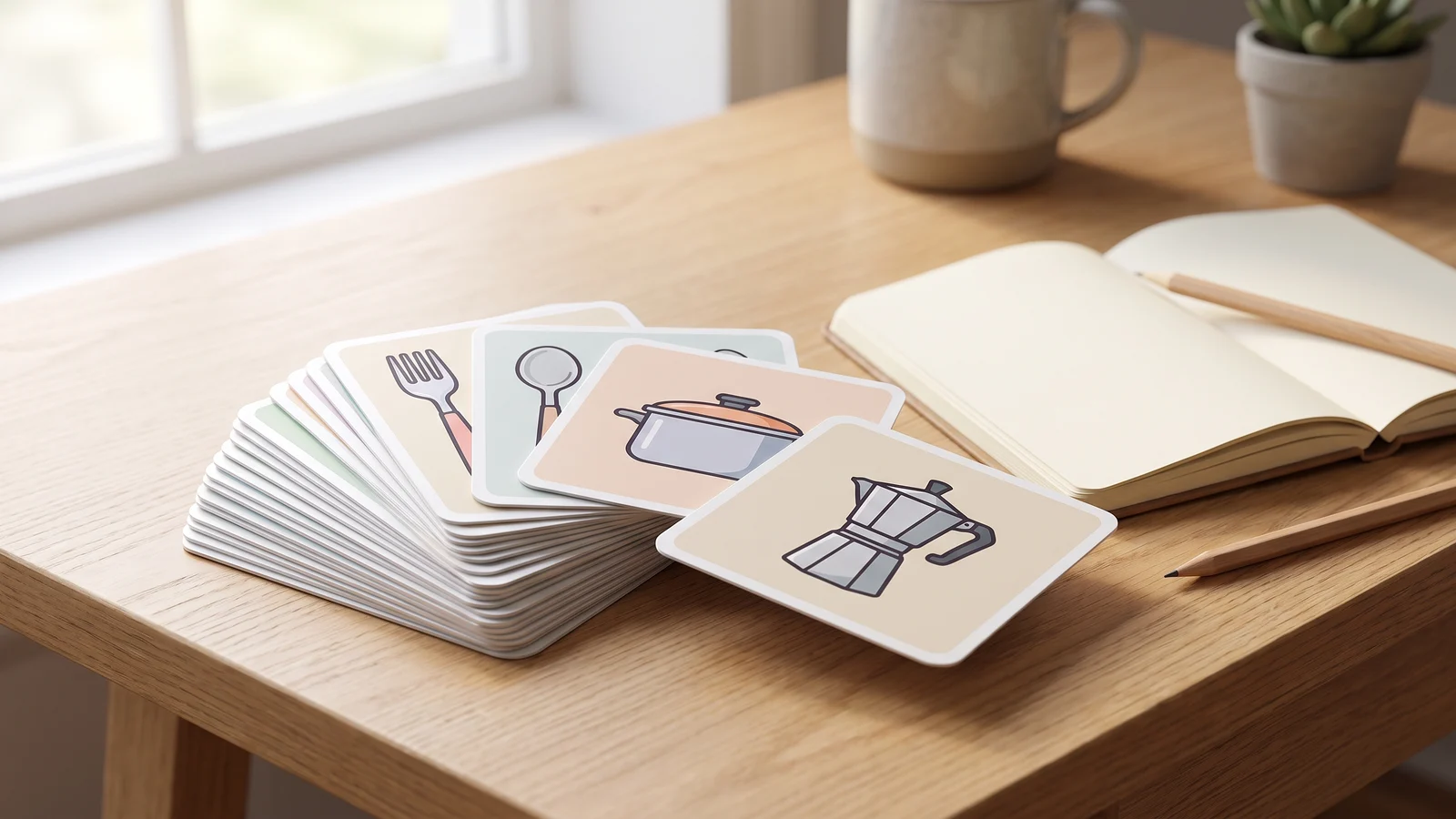
This guide shows how to make the whole deck in one go with BulkImagen: one row per word in, one finished card per word out — the picture, the word printed underneath, every card in the same style — downloaded together and ready to print. The sample deck below is eight Italian kitchen words, all from one batch.
Generate in bulk
One prompt per line, hundreds of images, one ZIP to download.
What makes a good picture flashcard#
A vocabulary card has one job: tie a word to an image you will remember. Four rules do most of the work, and the form below is built around them.
- One object, nothing else. A fork, not a table setting. Clutter makes you guess which thing the card means.
- The same style on every card. A deck that switches between photos, cartoons and clip art is harder to scan and looks unfinished.
- Plain background, centred subject. It survives being printed small or shown on a phone.
- The word large and clean, and nothing else written. No extra labels, captions or decorative letters competing with the one word that matters.
Step 1: Fill in one row per card#
Open the flashcard image generator. Each row on its form is one card, with two fields that matter most:
- What to draw — the object, described plainly in English: a fork, a stovetop moka coffee pot.
- Text on the card — exactly what should be printed: la forchetta, la caffettiera.
Keep the two separate. The first tells the model what to draw, so a plain English description is the safest default even for an Italian or German deck; the second is copied onto the card letter for letter. Leave Text on the card empty and you get a picture-only card instead, with no text at all — handy when the word goes on the back of a printed card.
In the first row, also pick the kind of deck — vocabulary, actions, science, quiz or first words — and a style, such as flat vector shapes or soft gouache. Each new row starts as a copy of the one above, so the deck and style carry down and you only change the two card fields. The same style on every row is what makes forty cards look like one deck. Add a row per word, then continue to the batch.
Tip
Already have the list in a spreadsheet? You can also start a batch from the dashboard, switch the input to Spreadsheet and upload the .csv, .xls or .xlsx — one row per card, with each card's full description in a prompt column. More in our guide to generating images from a list of prompts.
Words that are hard to draw#
Concrete nouns are easy. Verbs, adjectives and abstract words need a scene that only fits that word:
- Verbs: show the action mid-way — "a person stirring a pot with a wooden spoon", not "cooking".
- Adjectives: use a contrast — "a full glass of water next to an empty one, the full one highlighted".
- Abstract words: pick one memorable situation per word and accept that a few words work better as text-only cards.
Step 2: Check the count and the credits#
The batch form shows the total before anything is charged — Will generate 8 images · 40 credits for our eight words with GPT Image 2 at 1K — and credits are spent only when you press Start batch. Three settings to check:
- Images per combo 1. One drawing per word. A higher number draws every word several times.
- Aspect ratio. The flashcard form starts at 4:3, close to an index card; square works well on screens and in a grid.
- Resolution 1K for screens and small cards; a higher tier if you are printing large.
Each plan has a per-batch image limit. For a long deck, run one batch per chapter of related words; pricing lists the limit for each plan.
Step 3: Check every card#
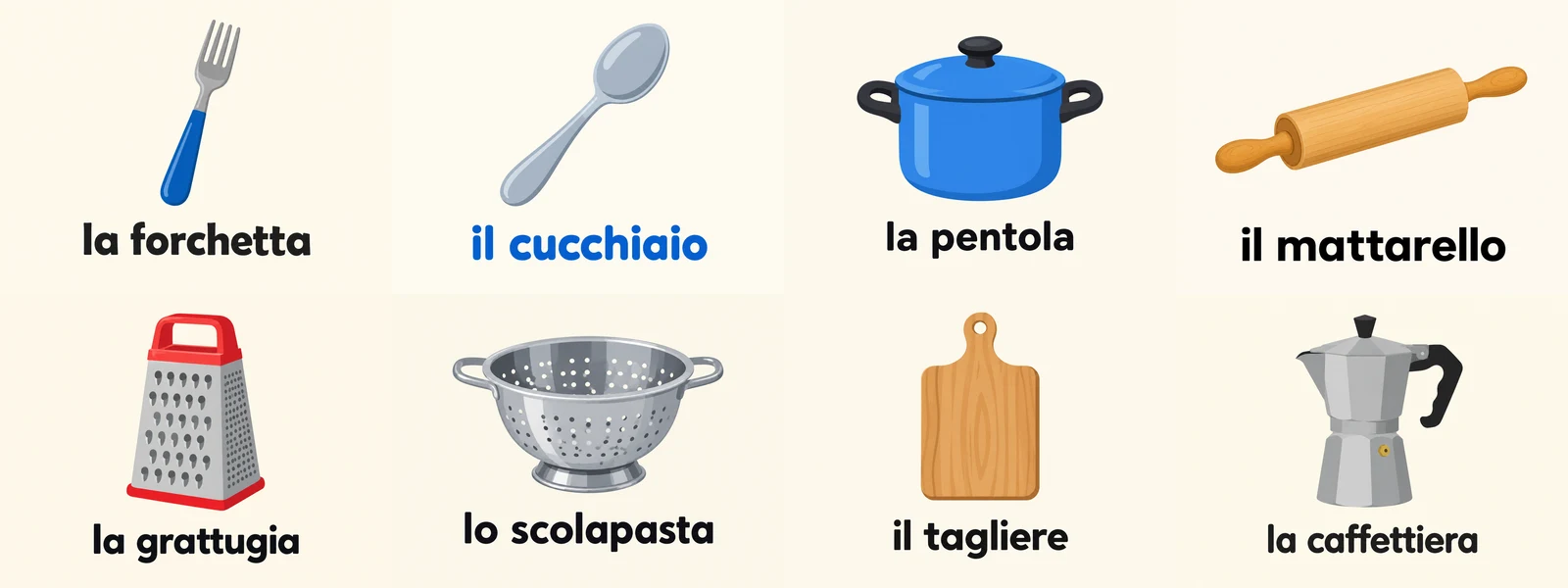
In our test all eight came back right: every word spelled exactly as typed, every object the one we asked for, and no other text anywhere on the cards. One thing did drift — seven words are printed in black and il cucchiaio came out blue. If an odd one out bothers you, Try again on that card alone re-draws it without touching the rest.
Look at every card for three things: spelling, extra text that slipped in, and the wrong object — a model asked for "a grater" can draw a slicer. If one card is off, Try again re-draws just that one. If a word keeps failing, describe the object more specifically ("a box grater with four sides") rather than repeating it.
Step 4: Download the deck#
Download all packs every card into one ZIP, numbered in the order of your rows. For a lighter download, click Select & edit on the batch page, then Select all, choose JPG or WebP and Download ZIP — the files come out a fraction of the size. To print, lay the cards out on card stock; plain backgrounds mean they line up cleanly however you arrange them.
Common mistakes#
| Mistake | What happens | Fix |
|---|---|---|
| The foreign word in What to draw | The model guesses at the object | Describe the object in English; put the word in Text on the card |
| Long phrases as card text | Letters dropped or swapped | Keep it to a word or a short phrase |
| Different style per row | The deck looks like clip art from ten sources | Set the style in the first row and let new rows copy it |
| Images per combo above 1 | Several drawings of every word | Set it to 1 |
| Spelling not checked | A wrong card ends up in the printed deck | Read every card before you print |
A checklist for your first deck#
- One row per word: What to draw in plain English, Text on the card exactly as it should appear.
- One kind of deck and one style, carried down to every row.
- Images per combo 1 and the estimate read before Start batch.
- Every card checked for spelling, extra text and the right object.
- One ZIP, ready to print.
FAQ#
Can I make vocabulary flashcards with pictures for free? New accounts get free credits — enough to test your style on a few words before running the whole list. After that you pay per image; see pricing.
Which model is best for flashcards with words on them? GPT Image 2, the default on the flashcard form, printed all eight of our test words correctly. Our models page compares price and style for every model.
Can I make picture-only cards? Yes. Leave Text on the card empty and the card comes back with the picture alone and no text anywhere, for decks where the word goes on the back.
Does this work for other subjects? Any list works the same way: science terms, quiz cards, first words for toddlers, picture prompts for speaking practice. One row, one card. When your list is ready, run the first chapter in the bulk image generator as a test.