GPT Image 2.6 GIF: Make a Whole Animated Sticker Pack
GPT Image 2.6 GIF output turns a prompt or a photo into a looping animation. We tested stickers to see what it does well, what it misses, and its cost.
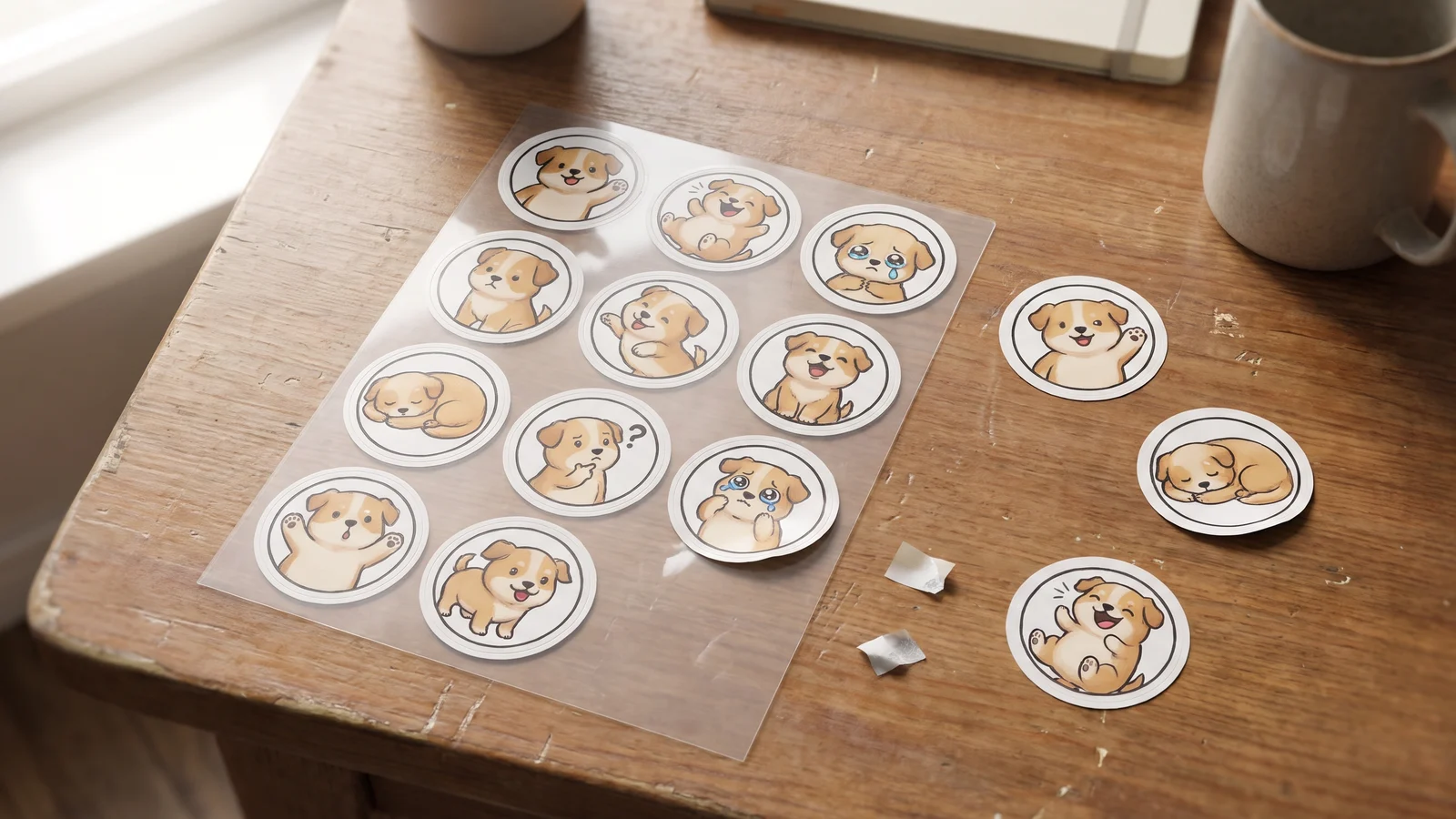
GPT Image 2.6 can return an animated GIF instead of a still picture. You write one prompt, optionally add a reference photo, and get back a short looping clip, with no video model and no frames to draw. We tested gpt image 2.6 gif output on 16 stickers across four styles, then on a real photo of a dog, and every run came back usable.
It also has real limits. There is one size, the frame timing is fixed on BulkImagen, and a transparent background is likely but not something you can count on. Below is what we measured, how to write a prompt for it, and how to turn it into a full sticker pack in one batch.
Genera imágenes por lotes
Un prompt por línea, cientos de imágenes, un ZIP para descargar.
What is GPT Image 2.6 GIF output?#
OpenAI released GPT Image 2.6 on November 4, 2026. One of its new output options is an animated GIF. You get back a single looping file from one request, so there are no separate frames to generate and stitch together.
It is best thought of as a sticker and reaction format, not a video generator. The clips are short, the motion is one simple action, and the file is small enough to send in a chat.
OpenAI's documentation describes 2 to 16 frames with a duration you choose. BulkImagen keeps the default nine frames, because every extra frame raises the cost of each clip.
What we measured#
We sent real requests and read the files that came back. These are the results as of November 8, 2026:
| Property | What we got |
|---|---|
| Frames | 9, at 200 ms each, so a 1.8 second loop |
| Size | 512×512 |
| Aspect ratio | Auto only |
| Reference images | Accepted, up to 4 on BulkImagen |
| Transparent background | 5 of the 5 clips we checked, 40 to 66% clear pixels |
The one surprise that helps is the prompt. You do not need to describe motion in detail. A bare "a cute cat" came back as a clean loop, because animation is what this output is for.
Warning
A GIF is flattened into one frame if you resize or convert it. BulkImagen keeps GIFs untouched on download, so the resize and format options do not apply to them. If you edit one elsewhere, use a tool that handles animation.
How to write a prompt for an animated GIF#
One subject, one action, one style. A sticker has under two seconds to read, so a prompt that asks for three things to happen usually muddles all of them.
This is the structure we used for every sticker in the test:
Animated sticker of [character] [action], [style], thick white sticker outline, plain white background, one simple expressive motion, seamless loopEach part does a job:
- Character is written out in full on every line: "a chubby shiba inu puppy with a red bandana", not "the dog".
- Action is one verb phrase: "waving hello", "crying big cartoon tears", "falling asleep with a Zzz bubble".
- Style is a short label. Kawaii cartoon, glossy 3D emoji, 16-bit pixel art and soft clay all held up.
- The outline and white background make it read as a sticker on any chat background.

Can it spell words inside the animation?#
For short words, yes. We ran four caption stickers with a panda: THANK YOU, OMG, LOL and GOOD MORNING. All four were spelled correctly in the frames we checked.
Four short captions is a small sample, so treat that as encouraging and not as a promise. Longer sentences are untested. Put the words in quotes in the prompt and check each result before you publish a pack.
How to make a full sticker pack in one batch#
One GIF is a novelty. A pack is what people actually use, and a pack only works when every sticker shows the same character. Keep the character text identical and change only the action.
On our animated sticker generator, you type the character once, pick a style, and list one reaction per line. Each line becomes its own GIF. In the dashboard you can do the same thing by hand: choose GPT Image 2.6, switch Output from Image to GIF, and paste one complete prompt per line.
Our pet set used four lines that differed only in the action:
Animated sticker of a chubby shiba inu puppy with a red bandana waving hello, cute kawaii cartoon, flat bold colors, thick white sticker outline, plain white background, one simple expressive motion, seamless loop
Animated sticker of a chubby shiba inu puppy with a red bandana laughing out loud, cute kawaii cartoon, flat bold colors, thick white sticker outline, plain white background, one simple expressive motion, seamless loop
Animated sticker of a chubby shiba inu puppy with a red bandana crying big cartoon tears, cute kawaii cartoon, flat bold colors, thick white sticker outline, plain white background, one simple expressive motion, seamless loop
Animated sticker of a chubby shiba inu puppy with a red bandana falling asleep with a Zzz bubble, cute kawaii cartoon, flat bold colors, thick white sticker outline, plain white background, one simple expressive motion, seamless loop
The result reads as one set: same breed, same bandana color, same drawing style. It is not pixel identical. The sleeping puppy's bandana came back with a different pattern from the other three, and the crying one has a faintly gray background instead of pure white. Text alone can only hold a character so closely, so name the details you care about, add a reference image if you have one, and check each sticker.
A bulk image generator earns its keep here: twelve reactions is one submission instead of twelve, and you download them together as a ZIP.
What does GPT Image 2.6 GIF cost?#
On BulkImagen, a GIF costs 10 credits, twice the price of a 1K still from the same model. There is one size, so there is no 2K or 4K tier to choose. Failed renders are refunded automatically, and the total for a batch is shown before anything is spent. See pricing for what a credit costs on each plan.
When to use something else#
GPT Image 2.6 GIF is the wrong tool in a few cases:
- You need a guaranteed transparent background. It is common but not promised, so check each clip if your platform requires it.
- You need exact timing or a larger size. You get nine frames at 200 ms, at 512×512.
- You need a longer scene. Two seconds of one action is the format. A video model is the right choice for anything with a story.
For still images, the regular 2.6 model and the others on our models page are the better choice. Our GPT Image 2.6 vs 2.5 test covers how the stills compare.
FAQ#
Can GPT Image 2.6 make a GIF? Yes. It can return a looping animated GIF from a text prompt or a reference photo. On BulkImagen, pick GPT Image 2.6 and switch the Output option to GIF.
How many frames does a GPT Image 2.6 GIF have? Nine, at 200 ms per frame, on BulkImagen. The frame count and speed are fixed there.
Can I animate my own image? Yes. Choose GPT Image 2.6, switch Output to GIF, add up to four reference images, and describe the motion you want.
Are the GIFs transparent? Usually in our tests: all five clips we checked had a transparent background. The model decides, so check each one if you need it.
Do GIFs loop? Yes. The files we checked are all set to loop forever. We also wrote "seamless loop" in every prompt, which is worth keeping.